junit4ks
Running JUnit 4 in Katalon Studio
by kazurayam
-
1st release at 18 July 2018
-
2nd release at 13 January 2019
-
3rd release at 10 Feb 2019
-
4th release at 20 Feb 2019
-
5th release v1.6.2 at 21 Feb 2024
-
6th release v1.6.3 at July 2025
-
7th update at April 2026
Problem to solve
I wanted to develop a set of Custom Keywords in a Katalon Studio project. For the background story, see a post in the Katalon Forum: Taking entire page screenshot using AShot in Katalon Studio. My custom keywords were expected to be large and complexed, therefore bug-prone. I wanted to do unit-testing thoroughly using JUnit 4.
Solution
Unfortunately, Katalon Studio does not offer a toolset to do unit-testing for custom Keywords. Therefore I will invent a framework for myself.
How to inject the Junit4ks files into your own Katlaon project
-
Here I assume you have a Katalon Studio project already created. Any project will do.
-
Visit the Releases v1.6.3 page. Locate the link
injectJunit4ks-build.gradle. Download the file into your project’s root directory. The file has the following script:
plugins {
    id "de.undercouch.download" version "5.7.0"
}
task injectJunit4ks {
    doLast {
        download.run {
            src "https://github.com/kazurayam/junit4ks/releases/download/1.6.3/junit4ks-distribution-1.6.3.zip"
            dest layout.buildDirectory.dir('dist-downloaded')
            overwrite true
        }
        copy {
            from zipTree(layout.buildDirectory.file("dist-downloaded/junit4ks-distribution-1.6.3.zip"))
            into layout.projectDirectory.dir('.')
        }
    }
}
-
You need to rename the
injectJunit4ks-build.gradlefile tobuild.gradle. -
In a Terminal window, you want to do the following operation in the command line:
$ cd <yourProjecDir>
$ gradle injectJunit4ks
Obviously here I assume you have the Gradle build tool is installed and operational in your environment.
-
The
injectJunit4kstask will unzip the archive and copy the contained files into your own Katalon Studio project. -
Once the zip’s content files have been extracted and injected into your project, the
build.gradleis no longer needed. You should remove thebuild.gradlefile.
What’s in the zip file
In your own Katalon Studio project directory, you would find a new file created in the build directory:
$ pwd
$ <yourProjectDir>
$ tree build
build
├── dist-downloaded
│   └── junit4ks-distribution-1.6.3.zip
The zip file contains the following file tree:
$ tree .
.
├── Include
│   └── scripts
│       └── groovy
│           └── junittutorial
│               ├── CalculatorFailingTest.groovy
│               ├── CalculatorTest.groovy
│               └── CalculatorWithIgnoreRestTest.groovy
├── Keywords
│   ├── com
│   │   └── kazurayam
│   │       └── junit4ks
│   │           ├── IgnoreRest.groovy
│   │           ├── IgnoreRestHelper.groovy
│   │           ├── IgnoreRestRule.groovy
│   │           ├── IgnoreRestSupportRunner.groovy
│   │           ├── JUnitCustomKeywords.groovy
│   │           ├── JUnitRunnerResult.groovy
│   │           ├── JUnitRunnerResultImpl.groovy
│   │           ├── LegacyXmlReportGeneratingListener.groovy
│   │           └── RunListener4ks.groovy
│   └── junittutorial
│       └── Calculator.groovy
├── Scripts
│   └── test
│       └── junittutorial
│           ├── CalculatorFailingTestRunner
│           │   └── Script1751710481301.groovy
│           ├── CalculatorTestRunner
│           │   └── Script1547192368406.groovy
│           └── CalculatorTestWithIgnoreRestRunner
│               └── Script1552166240495.groovy
├── Test Cases
│   └── test
│       └── junittutorial
│           ├── CalculatorFailingTestRunner.tc
│           ├── CalculatorTestRunner.tc
│           └── CalculatorTestWithIgnoreRestRunner.tc
└── Test Suites
    └── test
        └── junittutorial
            ├── runAll.groovy
            └── runAll.ts
----
The *.groovy files under the Keywords directory is the implementation of the junit4ks library.
The files under the Test Cases, Scripts, Test Suite and Include directory are the sample code that utilizes the junit4ks.
How to run the demonstration
Close and reopen your Katalon Studio project in which the junit4ks files have been injected.
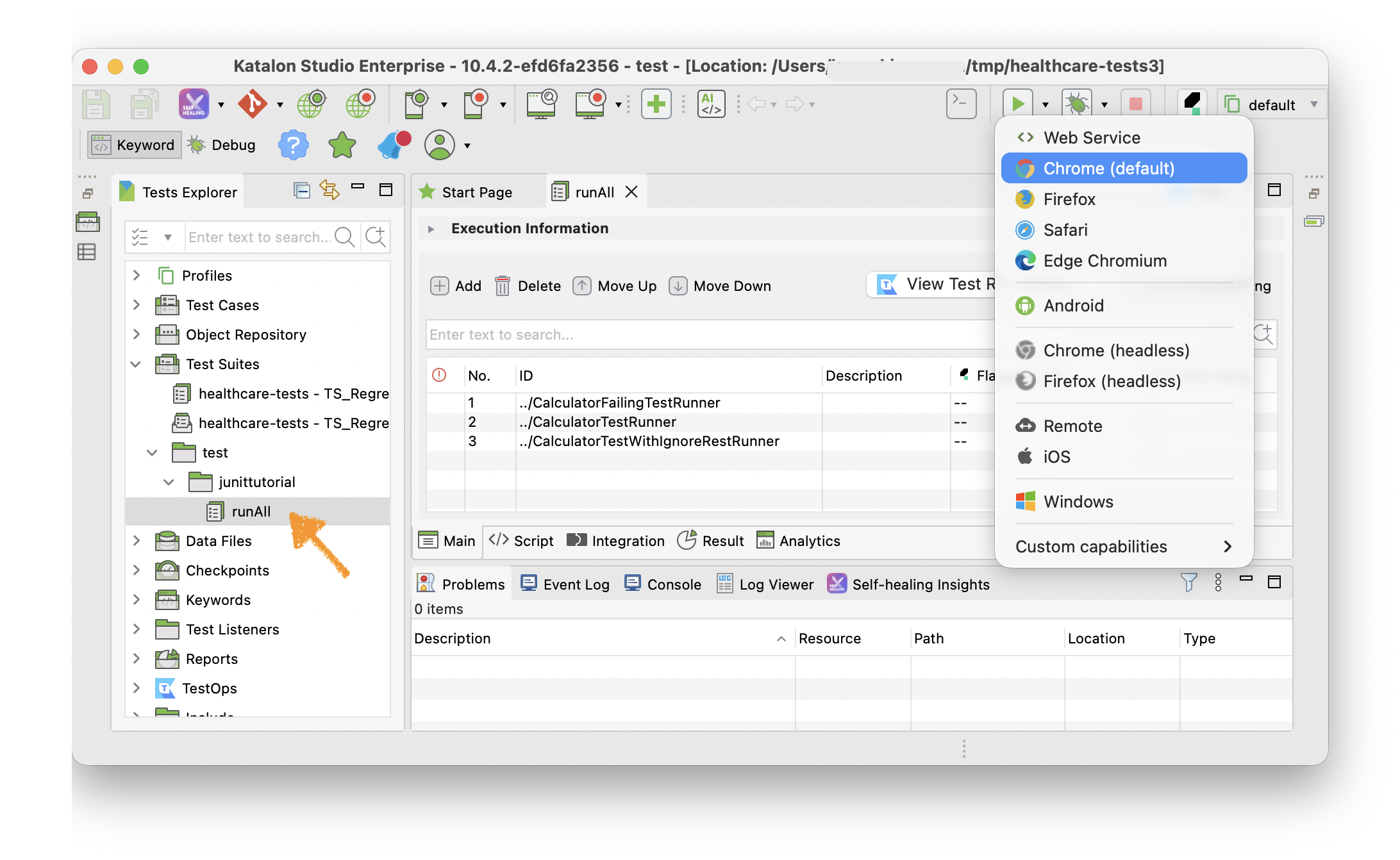
Open the Test Suites/test/junittutorial/runAll. Run it it by clicking the green button  . The Test Suite would pass.
When it finished, you can see the test result output in the Log Viewer and Console in Katalon Studio GUI. When any test fails, a Java StackTrace will be printed into the Log Viewer.
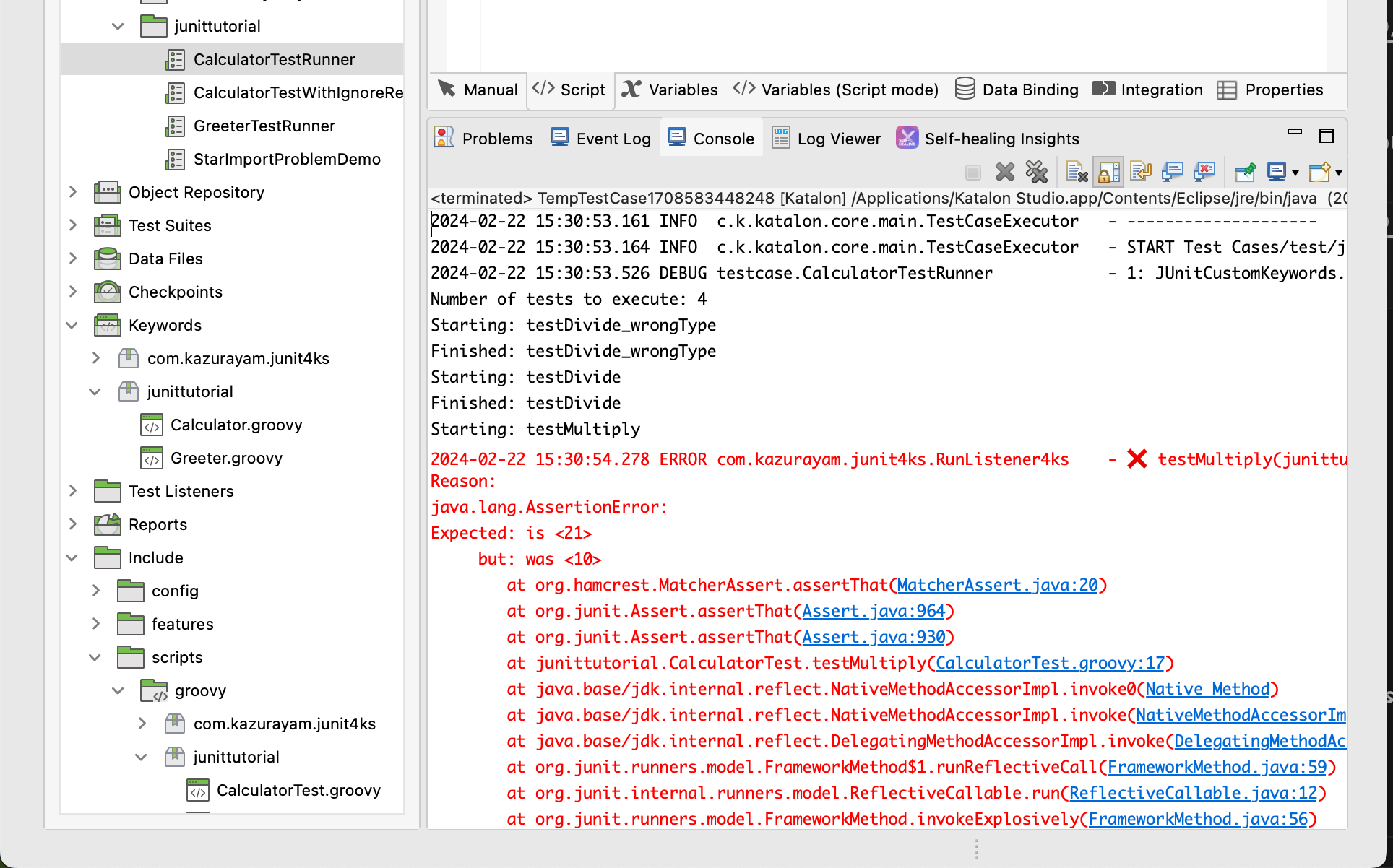
You may expect a nicely-formatted report in HTML to be generated, but unfortunately my junit4ks does not do it. In fact, I don't need it.
Source codes
Have a look at the following sample codes.
The Calculator.groovy is the target class to be unit-tested. The CalculatorTest.groovy carries out unit-tests for the custom class. You can run the test by running the CalcluratorTestRunner in Katalon Studio GUI by clicking the ordinary green button .
API doc
The groovydoc of junit4ks is here
History
I found JUnit4 was bundled in Katalon Studio
One day in April 2018 I created a test case of single line:
import org.junit.runner.JUnitCore
This worked! The import statement succeeded. No error was emitted. I realized that the JUnit4 classes are bundled in the Katalon Studio distribution. JUnit4 is available in the Katalon Studio’s Java VM. Later I found that the Katalon Studio’s distribution contains plugins/org.junit_4.12.0.jar.
My first attempt
OK, all I need to know is where to locate test classes, how to activate the runner, and how to report the result. I have done an experiment. I believe I have got a success. Tag 0.2 of this repository contains this version of my attempt. This version was created at April 2018.
The first attempt worked, but I thought the method was too lenghthy and complicated. I wanted to find out an easier one.
My second attempt
Dec 2018, devalex88 (Katalon Developer) proposed a new approach at https://forum.katalon.com/t/how-to-write-katalon-studio-tests-with-intellij-idea-and-other-ides/15940 .
The idea includes:
-
Since version 5.7.0,
.classpathfile in a Katalon Studio project contains a line<classpathentry kind="src" output="bin/groovy" path="Include/scripts/groovy"/>. This line defines a build path acknowledged Katalon Studio(=Eclipse). All of*.groovyfiles located in this folder will be compiled (when saved) by the Groovy compiler in Katalon Studio. -
It is OK for us to locate
*Test.groovyfiles for unit-testing in theInclude/scripts/groovyfolder. -
We can use Eclipse to run JUnit. We can open a katalon project with Eclipse (not Katalon Studio)! The built-in feature of Eclipse will look after activating the JUnit tests and reporting the results.
However I gave up this approach, because I could not test my custom keyword, within Eclipse, which interacts with web sites via WebDriver. See this post for detail.
My third attempt
In December 2018, I thought that I could test my Custom Keywords using the BDD feature with Cucumber in Katalon Studio. I learned the following manual pages.
It seemed OK. I could nearly achieve what I wanted to do. But unfortunately I was blocked by a defect in Katalon Studio:
I could not rely on Cucumber in Katalon Studio.
My fourth attempt
In January 2019 I read the source of com.kms.katalon.core.cucumber.keyword.CucumberBuiltinKeywords on GitHub. CucumberBuiltinKeywords is the core part of Cucumber-Katalon integration. I studied it to find that I could mimic that to implement JUnit-Katalon integration. So I made a new custom keyword class com.kazurayam.ksbackyard.junit.JUnitCustomKeywords. This looked working fine.
A long and winding road it was. I believe I have found out a satisfactory method to test my custom keywords with JUnit4 within Katalon Studio. I publish it as the 2nd release of my demo project.
Later, 10 Feb 2019, I changed the package name from com.kazurayam.ksbackyard.junit to com.kazurayam.junit4ks, having “JUnit4 for Katalon Studio” in mind, for getting better understood what it is.
Also note, @devallex88 made a contribution to this.
7th update at April 2026.
I have distributed the jar of junit4ks at the Maven Central repository:
But I realized that providing only jar is not enough. When I want to apply the junit4ks in any Katalon Studio project of my own, I always needed to look back the project repository for sample codes.
I easily forget how to write the codes that utilizes junit4ks. Quite often, I needed to visite the the project to collect the Test Cases/test/CalcularatorTestRunner and the Include/Include/scripts/groovy/junittutorial/CalculatorTest.groovy to paste into my new Katalo project. I felt it cumbersome. I thought I need to develop new way of distributing the junit4ks.
I extended the build.gradle so that it implements a new task createDist. In the junit4ks project, I will do this:
$ cd ~/katalon-workspace/junit4ks
$ ./gradlew createDist
The createDist task will create 2 files in the build/dist-created directory.
$ tree build/dist-created
build/dist-created
├── injectJunit4ks-build.gradle
└── junit4ks-distribution-1.6.3.zip
````

The `injectJunit4ks=build.gradle` file is meant to be downloaded into another Katalon Studio project of users, renamed to `build.gradle` and executed by local Gradle runtime. It's source is as follows:

[source,groovy]
----
plugins {
    id "de.undercouch.download" version "5.7.0"
}
task injectJunit4ks {
    doLast {
        download.run {
            src "https://github.com/kazurayam/junit4ks/releases/download/1.6.3/junit4ks-distribution-1.6.3.zip"
            dest layout.buildDirectory.dir('dist-downloaded')
            overwrite true
        }
        copy {
            from zipTree(layout.buildDirectory.file("dist-downloaded/junit4ks-distribution-1.6.3.zip"))
            into layout.projectDirectory.dir('.')
        }
    }
}
----

The `injectJunit4ks` task will download a zip file from the project's Releases page, unzip it and copy the source codes into the current directory = users Katalon Studio project.

This way, I could simplify the procedure to apply the `junit4ks` in other projects. I am contented with it.